Sharp R-140G Spécifications Page 8

  • Télécharger
  • Ajouter à mon manuel
  • Imprimer
  • Page
    / 16
  • Table des matières
  • MARQUE LIVRES
  • Noté. / 5. Basé sur avis des utilisateurs
Vue de la page 7
A40086, SEEG R25AM O/M
4
Repeat cook :
after manual operation it is possible to
use same cooking time and power level again just by
pressing microwave power level button and then start
button.
Error message :
Mistakes in operation or technical
problems are displayed with an Error code.
Time setting key :
time setting with different time
intervalls in both directions.
Time cooking :
for individual cooking and defrosting
of different types of food by setting of time and power.
* Before operating your new oven, make sure you
read and understand this operation manual
completely.
1) Plug in the oven.
*The digital display will then show
.
2) You can input the buttons and electronic timer only
when the door is closed.
3) Oven lamp and fan motor work for 1 minute
whenever the door is opened or after cooking.
4) The programme is canceled when any buttons or
BEFORE OPERATION
electronic timer are not touched for more than 3
minutes during programming.
5)
will appear on the display after the timer
reaches zero. It will disappear when the oven door
is opened.
6) To cancel a programme during cooking, open and
close the door, and then open the door again.
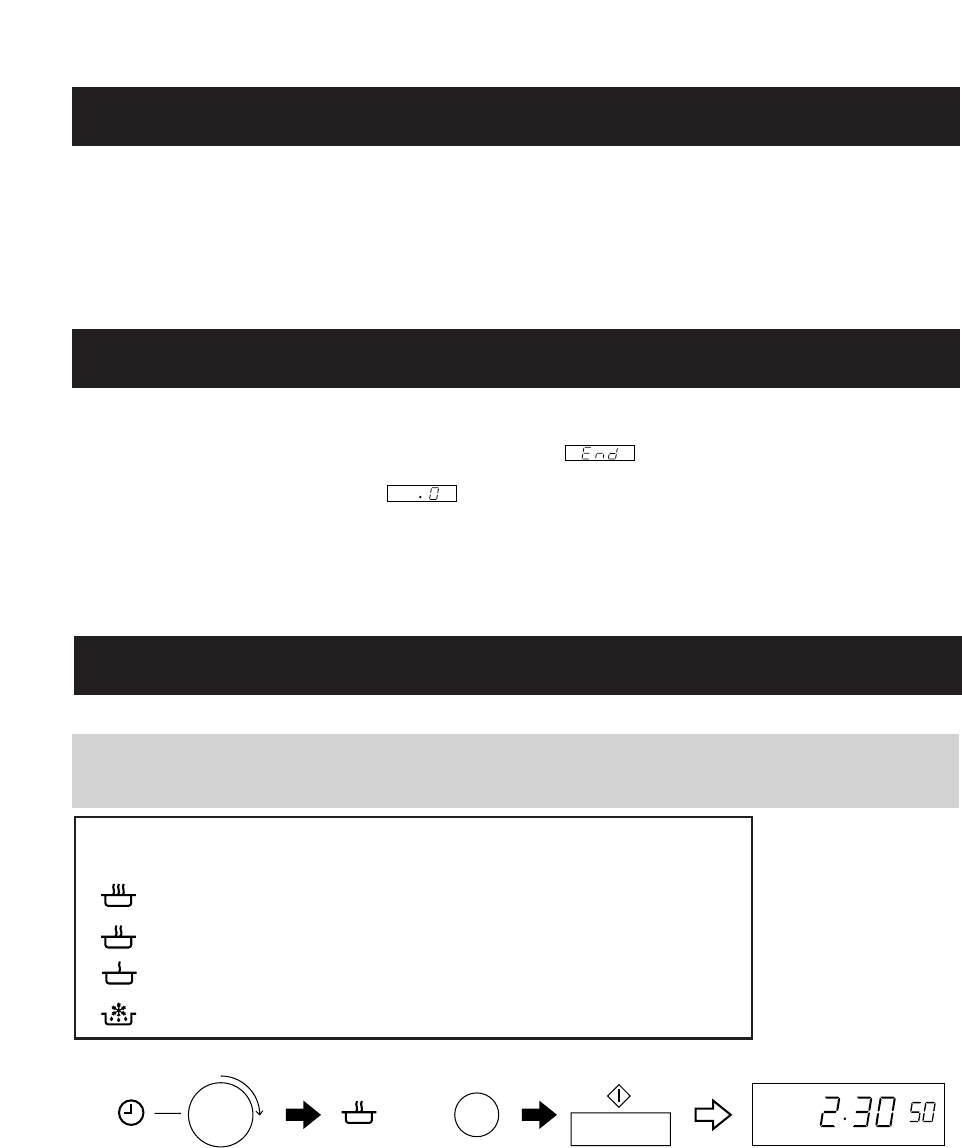
TIME COOKING
Your oven can be programmed for max. 30 minutes and has 4 preset power levels.
LEVELS
MICROWAVE
POWER
100%
50%
20%
10%
R-22AM
1500
750
300
150
R-23AM
1800
900
360
180
Check the display.
Choose desired
power level
(50%).
Rotate the knob clockwise to
the desired cooking time
(2 min. and 30 sec.).
POWER
%
ON
/ 50%
SHORT DESCRIPTION OF FEATURES
NOTE:
1. It is not necessary to touch MICROWAVE POWER LEVEL button for 100 %.
2. During the cooking, the oven will stop when the door is opened. To restart the cooking, close the door and
press the START button. If any of buttons or electric timer is not touched within 1 minute after closing the door,
the programme will be cancelled.
3. The remaining cooking time is canceled when the door is closed and opened during stop mode.
4. If you rotate the knob counterclockwise, the cooking time will decrease from 30 minutes by degrees.
Example: Suppose you want to cook for 2 minutes and 30 seconds at 50%.
WATT
Start to cook.
R-25AM
2100
1050
420
210
NOTE for R-25AM:
The maximum cooking time for 100% or 50% is 15 minutes. If the time you set exceeds a maximum time, the
display will show “EE 9”.
SEEG R22/23/25.En1-14 03.8.29, 10:47 AM4
Vue de la page 7
1 2 3 4 5 6 7 8 9 10 11 12 13 14 15 16

Commentaires sur ces manuels

Pas de commentaire

Hunter-fan 40120 Handbücher

Bedienungsanleitungen und Benutzerhandbücher für Schalttafel Hunter-fan 40120.
Wir stellen 1 PDF-Handbücher Hunter-fan 40120 zum kostenlosen herunterladen nach Dokumenttypen zur Verfügung Bedienungsanleitung


Weitere Produkte und Handbücher für Schalttafel Hunter-fan

Modelle Dokumententyp
47550 Bedienungsanleitung   Hunter Fan 47550 User Manual, 38 Seiten
43168 Bedienungsanleitung   Hunter Fan 43168 User Manual, 21 Seiten
44372 Bedienungsanleitung   Hunter Fan 44372 User Manual, 45 Seiten
44665 Bedienungsanleitung   Hunter Fan 44665 User Manual, 2 Seiten
44033-01 44277 Bedienungsanleitung   Hunter Fan 44033-01 44277 User Manual, 37 Seiten
44760 Bedienungsanleitung   Hunter Fan 44760 User Manual, 28 Seiten
44905 Bedienungsanleitung   Hunter Fan 44905 User Manual, 54 Seiten
44127 Bedienungsanleitung   Hunter Fan 44127 User Manual, 37 Seiten
43255 Bedienungsanleitung   Hunter Fan 43255 User Manual, 7 Seiten
44110 Bedienungsanleitung   Hunter Fan 44110 User Manual, 52 Seiten
43154 Bedienungsanleitung   Hunter Fan 43154 User Manual [en] , 7 Seiten
43153 Bedienungsanleitung   Hunter Fan 43153 User Manual, 2 Seiten
44050 Bedienungsanleitung   Hunter Fan 44050 User Manual, 24 Seiten
43355 Bedienungsanleitung   Hunter Fan 43355 User Manual, 43 Seiten
47300A Bedienungsanleitung   Hunter Fan 47300A User Manual, 44 Seiten
40135 Bedienungsanleitung   Hunter Fan 40135 User Manual, 30 Seiten
47350A Bedienungsanleitung   Hunter Fan 47350A User Manual, 23 Seiten
44260 Bedienungsanleitung    Hunter Fan 44260 User Manual, 104 Seiten
44377W Bedienungsanleitung   Hunter Fan 44377W User Manual, 64 Seiten
PH20-30A Bedienungsanleitung   Hunter Fan PH20-30A User Manual, 26 Seiten