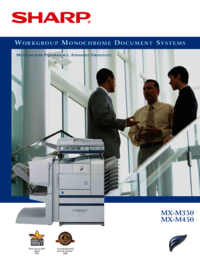
MX-M350
MX
-
M450
Workgroup Monochrome Document Systems
Multi-tasking is a necessity in today’s fast-paced business world. And with the Sharp
MX-M350 and MX-M450 Document Systems, it’s never been so easy to be so productive. With
unparalleled reliability and best-in-class multifunction features, these powerful systems
centralize document workflow and provide an efficient method of office communication. The
heart of these multi-faceted performers delivers advanced copy, print, scan, and fax
capabilities that enable busy workgroups to seamlessly share information more efficiently and
cost effectively. Built-in software makes it easy to manage, edit and distribute documents
simply and securely. And that’s not all, the modular design of the new MX-M350 and MX-M450
Document Systems provides the features you need today, as well as the expandability for
workflow applications as your business needs evolve.
Redefining productivity...again
Ideal for fast-paced, mid-volume
workgroups, Sharp’s new MX-M350/M450
Document Systems raise the bar on
productivity. With an online paper capacity
of 3,100 sheets, these advanced performers
deliver fast copy/print speeds of 35/45 ppm,
accelerating your workflow like never before.
Lightning-fast Scan
2
Technology
With a robust engine controller and Scan-
Once, Print-Many memory management,
the MX-M350/M450 Document Systems
produce laser-quality 600-dpi output. And
there’s more. With Sharp’s innovative Scan
2
Technology and 50-sheet Duplex Single
Pass Feeder, Sharp’s new MX-M350/M450
Document Systems scan a duplexed
document in one single pass, reducing
misfeeds and improving reliability. Now
large copy jobs can be completed in about
half the time!
Simplified ID card duplication
Need to copy 2-sided cards for identification
or insurance purposes? The innovative
Card Shot function copies both sides of
the card in two easy steps! The first side of
the card is stored into memory as the second
side is captured. Both sides are output onto
one side of paper—reducing consumables
and saving time.
More power when you need it
To maximize your systems during busy
periods or print documents concurrently at
different locations, use Network Tandem
Printing. Easily connect two MX-M350/M450
Document Systems—even if they are in
different locations—without the hassle of
special cables. Plus, each system doesn’t need
to be identically configured, enabling you
to Tandem Print with just a few keystrokes
quickly and easily.
Professional finishing
at your command
For added versatility, the MX-M350/M450
Document Systems offer advanced paper
handling options that put you in control
of your workflow—and your deadlines.
The MX-M350/M450 Document Systems also
offer a choice of optional finishers, so you can
output high-quality, professionally-finished
documents without the cost of outsourcing.
On-demand, on-the-fly finishing empowers
your workgroup to create proposals, handouts,
newsletters—virtually anything that your
business might require—quickly and easily.
With a wide array of capabilities, you can
choose either the Two-Tray Finisher or
the Saddle-Stitch Finisher which include
3-position stapling, center folding, a 50-sheet
stapling capacity, and more. Add more
versatility with the Mail Bin Stacker, which
offers a 250-sheet face-down delivery of
documents as well as seven 100-sheet mail
bins to make distribution effortless.
* Some features require optional equipment.
• Large 8.9" (measured diagonally) Touch-Screen
LCD Display
• Scan
2
™ Technology increases productivity,
enhances reliability, and preserves
document integrity
• 50-sheet Duplex Single Pass Feeder
for increased efficiency
• Document filing system enables users
to easily archive documents (standard on
N models)
• 40 GB Hard Drive offers heightened
processing power (standard on N models)
• TIFF and PDF Direct Printing for advanced
flexibility*
• Auto Duplexing on stocks up to 97 lb. index
• IPv6 support with advanced security feature*
• LDAP support with optional Network Scanner
Expansion Kit
• Scan to network folders using SMB for quick
scanning without complicated applications*


 (168 pages)
 Manymanuals.com
 Manymanuals.de
 Manymanuals.fr
 Manymanuals.it
 Manymanuals.pl
 Manymanuals.cz
 Manymanuals.es
 Manymanuals-pt.com
Commentaires sur ces manuels