Sharp MX-3114N Operation Spécifications Page 7
- Page / 16
- Table des matières
- MARQUE LIVRES

- START GUIDE 1
- � Warning: 2
- � Warranty 2
- CAUTIONS 3
- CAUTION 4
- WARNING CAUTION 5
- SUPPLIES 6
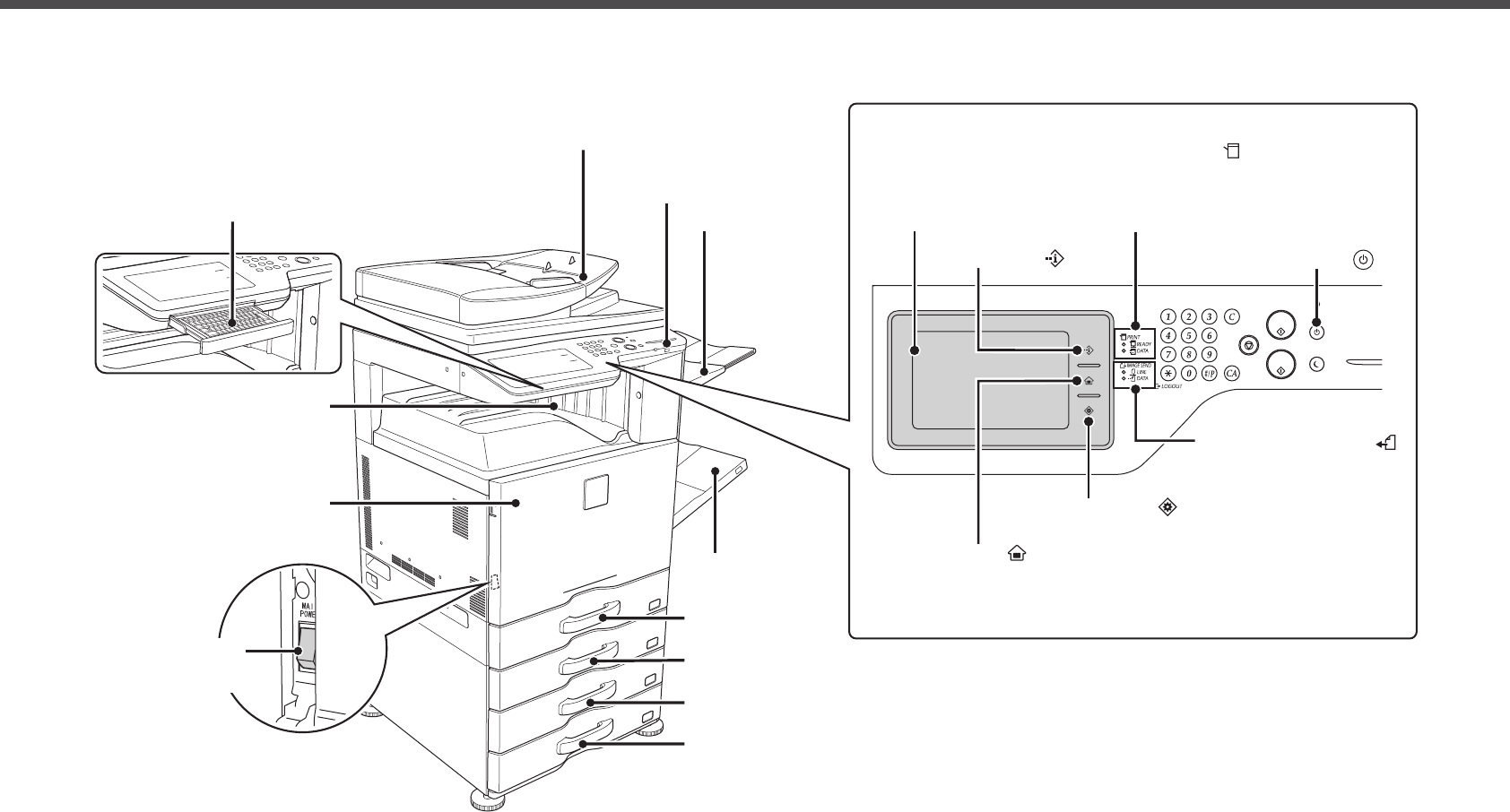
- PART NAMES 7
- TURNING THE POWER ON AND OFF 8
- Before using the machine 9
- Directions for use 9
- SPECIFICATIONS 10
- Automatic document feeder 11
- Punch module 11
- Fax Specications 11
- Finisher 11
- Network Printer Specications 12
- Network Scanner Specications 12
- INFORMATION ON DISPOSAL 13
- System settings password 14
- TRADEMARK ACKNOWLEDGMENTS 15
- PRINTED IN FRANCE 16
Produits connexes et manuels pour Copieurs Sharp MX-3114N Operation


 (20 pages)
 (57 pages)
(72 pages)
(12 pages)
(91 pages)
(12 pages)
(12 pages)
(12 pages)
(81 pages)
(84 pages)
(118 pages)
(48 pages)
(16 pages)
(72 pages)
(125 pages)
(57 pages)
(72 pages)
(12 pages)
(91 pages)
(12 pages)
(12 pages)
(12 pages)
(81 pages)
(84 pages)
(118 pages)
(48 pages)
(16 pages)
(72 pages)
(125 pages)
© 2020, manymanuals.fr. Tous droits réservés | 0.029 s |
 Manymanuals.com
 Manymanuals.de
 Manymanuals.fr
 Manymanuals.it
 Manymanuals.pl
 Manymanuals.cz
 Manymanuals.es
 Manymanuals-pt.com
Commentaires sur ces manuels