Sharp AR-162S Spécifications Page 45 : Copying from the preheat mode
 1
 2
 3
 4
 5
 6
 7
 8
 9
 10
 11
 12
 13
 14
 15
 16
 17
 18
 19
 20
 21
 22
 23
 24
 25
 26
 27
 28
 29
 30
 31
 32
 33
 34
 35
 36
 37
 38
 39
 40
 41
 42
 43
 44
 45
 46
 47
 48
 49
 50
 51
 52
 53
 54
 55
 56
 57
 58
 59
 60
 61
 62
 63
 64
 65
 66
 67
 68
43
GENERAL INFORMATION
Setting the power save modes
The time that elapses before the copier enters a power save mode after any
operation is made can be set manually. This time is set with user program No.
2 for the preheat mode and user program No. 3 for the auto power shut-off
mode. For these settings, see page 36.
●
The copier will enter the preheat mode first and then the auto power shut-
off mode after a preset time has elapsed when no copier operation has been
made.
●
If conflicting settings are made with user programs No. 3 and No.5, the last
program set will have priority.
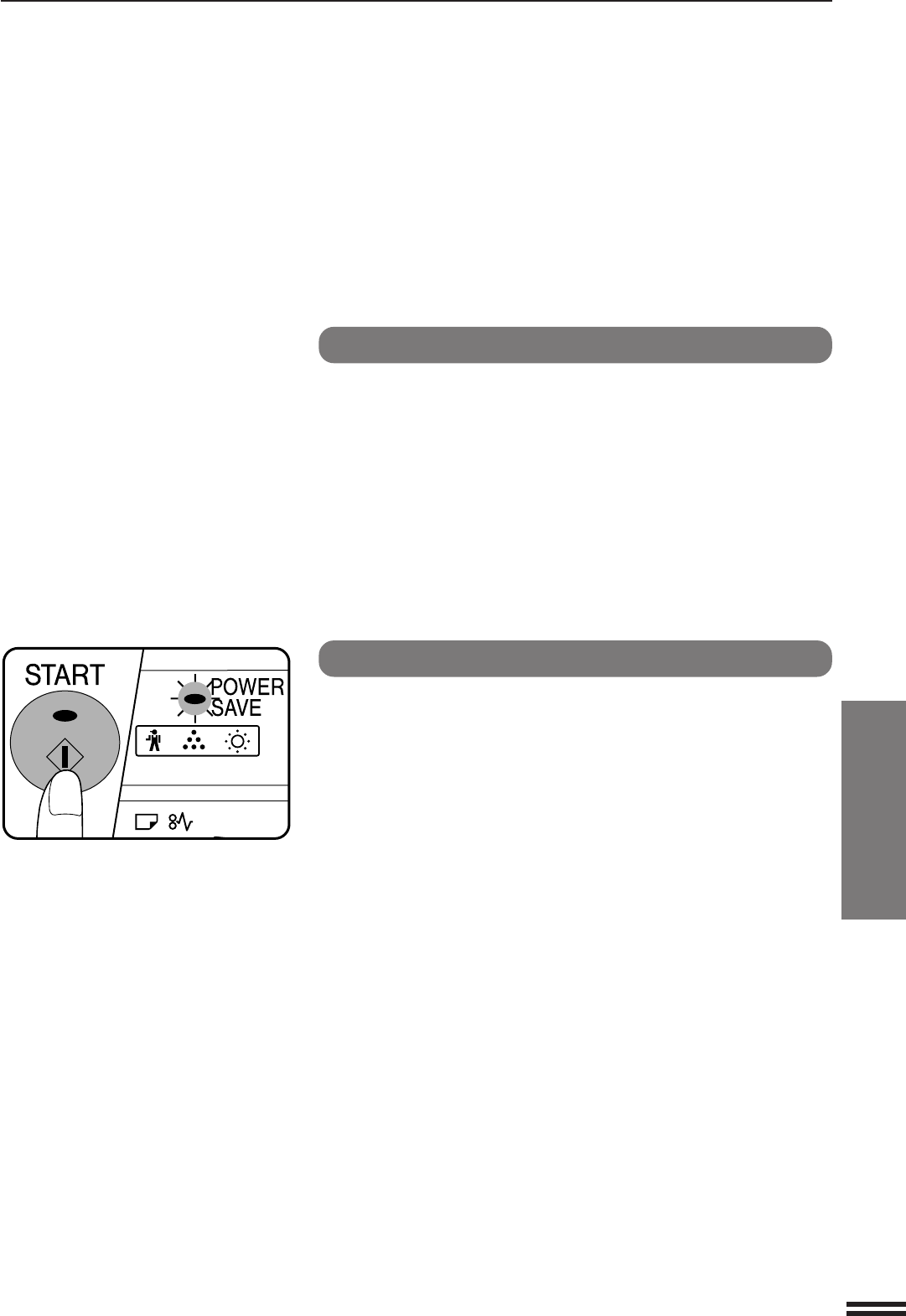
Copying from the preheat mode
Make desired copier selections and press the START
key using the normal copying procedure.
●
When any key input is made or any other copier operation is made, the
POWER SAVE indicator will start to blink.
●
When the START key is pressed, the START key indicator will go out
and copying will start within 10 seconds. The POWER SAVE indicator
will go out when copying starts.
Power save modes
POWER SAVE MODES
Fichier PDF · ·
Questions sur Sharp AR-162S
Pas encore de questions sur ce manuel. Posez la première.
Produits connexes et manuels pour Copieurs Sharp AR-162S
- Copieurs Sharp MX-M363N Manuel d'utilisateur
 (96 pages)
- Copieurs Sharp Z-26 Manuel d'utilisateur
(32 pages)
- Copieurs Sharp SF-2040 Manuel d'utilisateur
(95 pages)
- Copieurs Sharp Z-21 Manuel d'utilisateur
(31 pages)
- Copieurs Sharp SF-2314 Manuel d'utilisateur
(43 pages)
- Copieurs Sharp AR-161 Manuel d'utilisateur
(80 pages)
- Copieurs Sharp AR-163 Manuel d'utilisateur
(82 pages)
- Copieurs Sharp AR-121E Manuel d'utilisateur
(42 pages)
- Copieurs Sharp AR-5012 Manuel d'utilisateur
(42 pages)
- Copieurs Sharp AR-275-2 Manuel d'utilisateur
(149 pages)
- Copieurs Sharp AR-201 Manuel d'utilisateur
(88 pages)
- Copieurs Sharp AR-151 Manuel d'utilisateur
(56 pages)
- Copieurs Sharp AR-250 Manuel d'utilisateur
(174 pages)
- Copieurs Sharp AL-840 Manuel d'utilisateur

 (105 pages)
- Copieurs Sharp AR-5015N Manuel d'utilisateur
(66 pages)
- Copieurs Sharp AR-122EN Manuel d'utilisateur
(82 pages)
- Copieurs Sharp AR-206 Manuel d'utilisateur
(90 pages)
- Copieurs Sharp AR-156 Manuel d'utilisateur
(52 pages)
- Copieurs Sharp AR-235 Manuel d'utilisateur
(98 pages)
- Copieurs Sharp AR-5015 Manuel d'utilisateur
(60 pages)